NixOS persistence: what must survive
A NixOS impermanence checklist for persistent paths, LUKS boundaries and two-reboot recovery checks before changing an encrypted system.
An impermanent root starts clean after each boot. That can make a system easier to reason about, but only when you decide exactly what must survive. Encryption solves a different problem: protecting data at rest. Combining the two is useful; confusing them is how installations become unbootable.
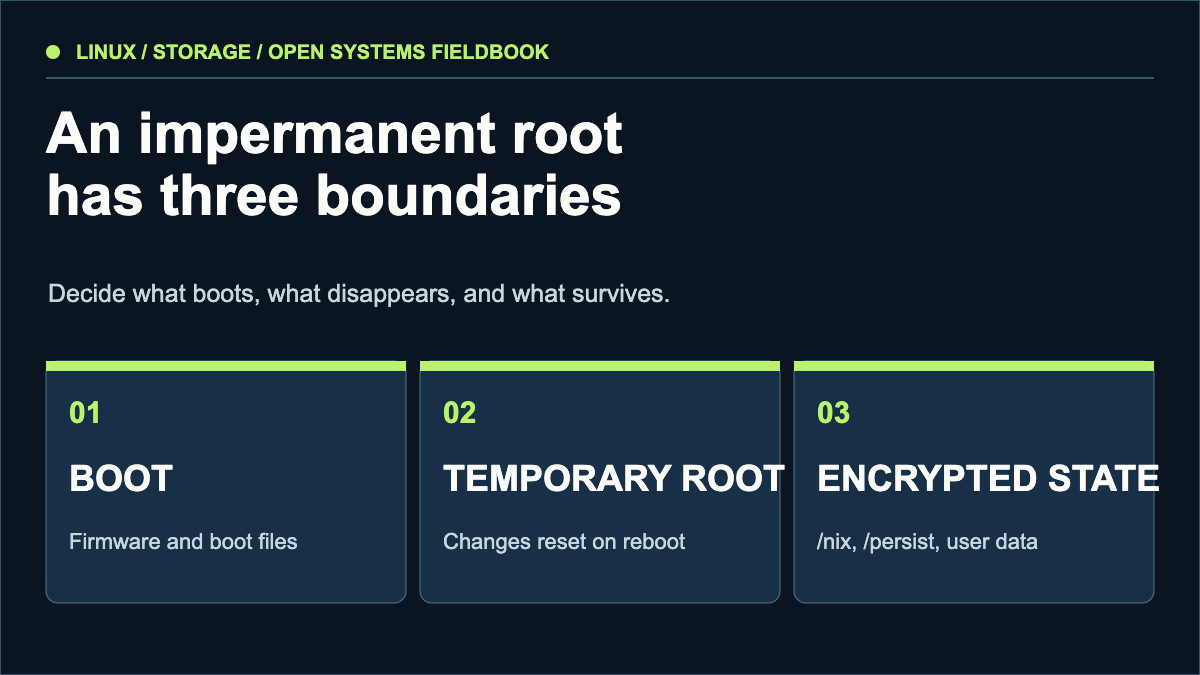
Boot files. Plan how they are updated and protected.
Temporary root. Changes disappear at reboot.
Persistent state. Put sensitive data on encrypted storage.
1. Draw the persistence boundary
Write down every path that must survive a reboot before changing partitions. A useful first pass includes /nix, system configuration, user data, SSH host keys, databases, and service state. The NixOS manual specifically calls out persistent system state such as /var/lib/nixos. Treat the list as a living inventory: every new service adds new state.
Put the persistence choices beside the stay-or-switch comparison. Describe what a failed change would prevent you from doing and which saved state would help recovery. The default-apps guide addresses a different question: whether your working data can move with you.
Keep the store and Nix state persistent; otherwise the installed system and profiles cannot be assumed to survive.
Keep the boot files available across restarts. Decide separately how to protect and update them.
Preserve NixOS state used for stable user and group identifiers.
Review timers and random-seed state; the NixOS manual recommends persistence here.
Inventory SSH host keys, network profiles, databases and application state by enabled service; test each after two reboots.
This is a review worksheet, not a mount configuration. The exact paths and encryption boundary depend on your system; keep a tested backup before changing either.
Do not assume that a tmpfs root encrypts anything. Memory contents, swap policy, hibernation and persistent files have separate security properties. Decide which threat you are addressing and document the answer.
2. Separate the boot chain from the data store
For a typical design, firmware reaches a boot partition, the early boot environment unlocks LUKS, and NixOS mounts the persistent store before bringing up services. The exact device identifiers and filesystem layout depend on the machine. Use stable identifiers, verify the intended disk twice and keep a recovery medium nearby.
Encryption at rest does not by itself verify an unencrypted boot partition. If physical tampering matters to your threat model, research secure boot and measured boot before treating this as a complete defense.
3. Test recovery before relying on ephemerality
- Make and verify a restorable backup of the existing configuration and data.
- Record the unlock and recovery procedure somewhere outside the machine.
- Test that the boot environment can see the encrypted volume and that the passphrase works.
- Reboot once with a minimal persistence set, then confirm expected files survived and temporary files did not.
- Reboot again after enabling each stateful service; inspect logs, identities and permissions.
A service can appear healthy before reboot, then return with a new identity or empty data directory. Keep a second route into the machine until persistence has passed two full restarts.
What this article deliberately leaves to your machine
Partition names, UUIDs, cryptsetup arguments and NixOS option names must be checked against the current release and your hardware. The historical guide on this domain described one implementation; copying its commands onto another disk is unsafe. Use this map to review a machine-specific plan, then test it on disposable hardware or a virtual machine.
What actually needs to persist?
Do not begin with a copied list of directories. Begin with the consequences of losing each path. A boot path, an identity and an application database fail in different ways; each needs a different recovery test.
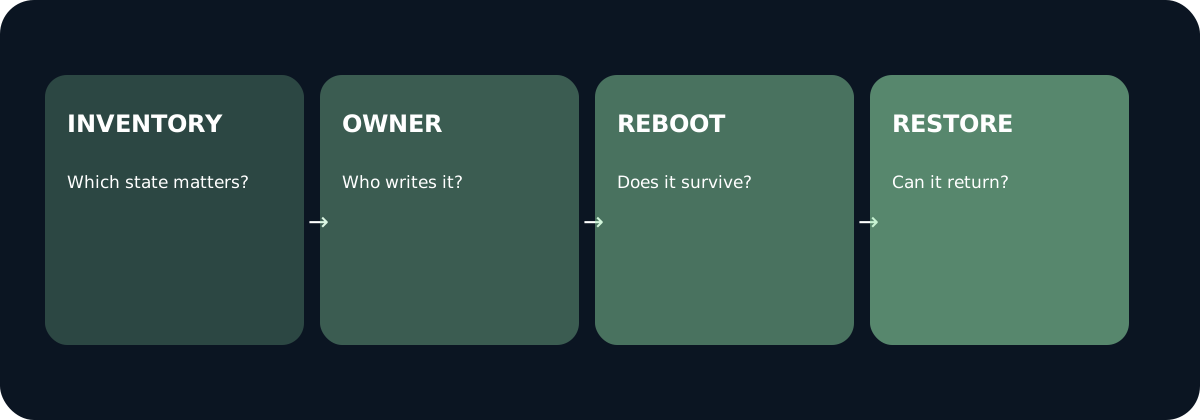
List every path whose loss would break a service, identity or recovery route.
Record which service writes it, its permissions, backup location and restore method.
Check the same path and behavior after a clean boot, then repeat after enabling one stateful service.
Prove that a backup can be restored on disposable hardware before relying on it.
A persistence worksheet to fill before changing a host
Configuration: Is the machine definition in version control or on persistent storage? Record how a new host would obtain it. Identity: Record which SSH host keys, machine identity files or service credentials must remain stable. Never put private keys into a public repository. Application state: Locate databases, uploads, queues and certificates created at runtime. Operations: Decide whether logs, timers and caches are necessary for recovery or can be regenerated.
For each item write: path, owning service, reason to persist, sensitivity, backup, restore command or procedure, and observable check after reboot. Treat an absent answer as a blocker for the migration. The official NixOS Wiki lists examples such as /var/lib/nixos and /etc/machine-id, but marks its Impermanence article as outdated; option behavior must be checked against the release you use.
The two-reboot acceptance procedure
- On a disposable VM or spare machine, take a verified backup and record baseline identities, service state and mount points. Do not experiment first on the only production copy.
- Apply the candidate persistence configuration. After the first reboot, confirm the encrypted store unlocks, the expected paths exist with correct owners, and a deliberately temporary marker has disappeared.
- Create one new piece of legitimate state in each enabled service, such as a harmless test record. After the second reboot, verify the new state remains and the service uses the same identity. Inspect logs for failed mounts and permission errors.
- Restore the backup into a separate disposable environment and compare the recovered state to the expected inventory. A successful boot alone does not prove recoverability.
Test status: This is a procedure and worksheet, not a report of a VM run. No machine-specific partitioning or two-reboot result is claimed here. The article was checked against the current official NixOS Wiki and stable manual on 30 September 2026; verify your own release and hardware before applying commands.
Continue with the NixOS trade-offs field note and our editorial method.
Sources & scope
These sources support the technical principles above. Commands and compatibility can change; verify the current version before changing a machine.
This is a new, independent edition. Its articles are original editorial work inspired by the domain's technical history; we are not the former author. Meet the author.
LUKS is only one part of the boot chain
A locked LUKS volume addresses access to encrypted data at rest. It does not, by itself, establish which firmware, loader, kernel or early userspace code ran before unlocking it. Write down the threat first: a stolen powered-off disk, altered boot files, an already unlocked session and a lost recovery key require different checks. Calling all four “full disk security” hides the decisions you still need to make.
Make a component map before a configuration change
Trace the machine from firmware to the mounted persistent store. Record where the EFI executable, kernel, initrd and command line live, who updates them, and how their integrity is checked. A unified kernel image can package several boot components together, but its presence alone does not prove that verification is enabled or that the expected keys are enrolled. Confirm the path actually selected at boot, including fallback entries.
For NixOS, keep the selected release, configuration revision and generated boot entries with the map. The stable manual documents LUKS configuration; the official Secure Boot wiki describes additional integration choices. Neither source is a receipt showing your host has been configured that way. Do not paste an example UUID, format command or enrolment command into the production host to obtain such a receipt.
Three boundaries that should stay separate
- Confidentiality: which persistent data is encrypted when powered off, and what remains outside that boundary?
- Boot integrity: what verifies the executable boot path, and what does the firmware actually accept?
- Recovery: how can an authorised operator regain access after an update or loss of a hardware-bound unlocking route?
An ephemeral root is another property: it governs what survives a restart. It does not encrypt RAM or guarantee that private information never reaches swap, a crash dump or an unencrypted persistence path. TPM-based unlocking and passphrase unlocking also have different assumptions. Avoid automatically labelling an enrolled TPM key “safer” without reviewing what state its release depends on.
A disposable-VM review plan
Proposed procedure, not an executed test: create a VM containing no sensitive data and record the hypervisor, firmware mode, NixOS version and configuration revision. Capture the baseline boot path and confirm ordinary unlocking. Check the Secure Boot state from both firmware settings and the operating system; a tool being installed is not evidence that the firmware enforces verification.
Next, test an update and a rollback using the same virtual hardware. Confirm that the expected signed boot path is selected and that the encrypted store remains accessible through the documented recovery route. A controlled tamper test should be designed for disposable media and a precisely identified boot component; record what was changed and which verifier rejected it. If no rejection is observed, investigate the trust path rather than describing the exercise as passed.
Keep a result matrix, including “not tested”
For each check retain the input state, command or firmware observation, actual output and expected consequence. Separate “configured”, “observed” and “recovery demonstrated”. A successful VM boot says nothing about a laptop's firmware or an unattended server's remote recovery path. This release adds a threat-review worksheet, not a machine-specific install recipe or a claim that we performed Secure Boot tampering tests.
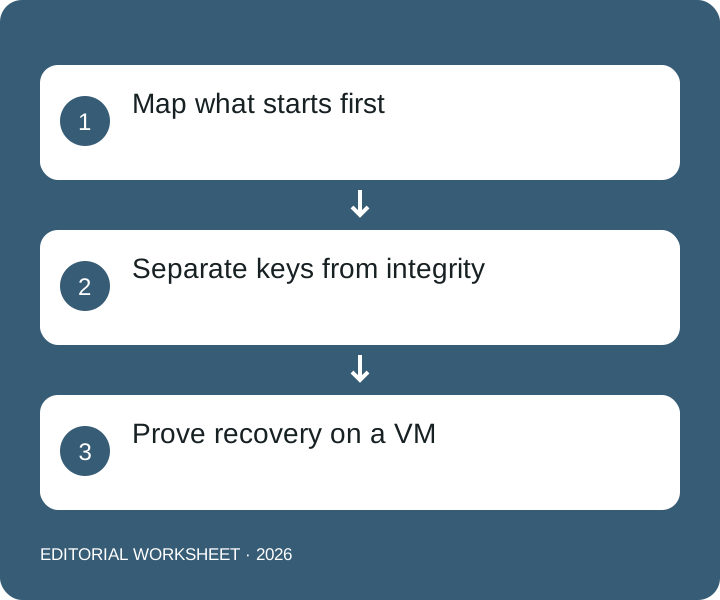
Text equivalent: Map what starts first → Separate keys from integrity → Prove recovery on a VM.
Prepare a local worksheet
Your text stays in this page. It is not sent, stored or checked for accuracy. Use anonymised examples.
The note builder needs JavaScript. Its fields stay unavailable until the script loads. The article and example remain readable.
Download blank worksheet and filled example ↓
Primary context and limits
NixOS stable manual: encrypted filesystems · Official NixOS Wiki: Secure Boot