GrapheneOS review checklist: what to verify before switching
A current, device-first checklist for support, app compatibility, profiles and recovery—without pretending to have used your phone.
An old long-term review can tell you what one person noticed, but device support and app behavior change. Before replacing your daily phone's operating system, verify the exact model, your essential apps and a route back if the migration fails.
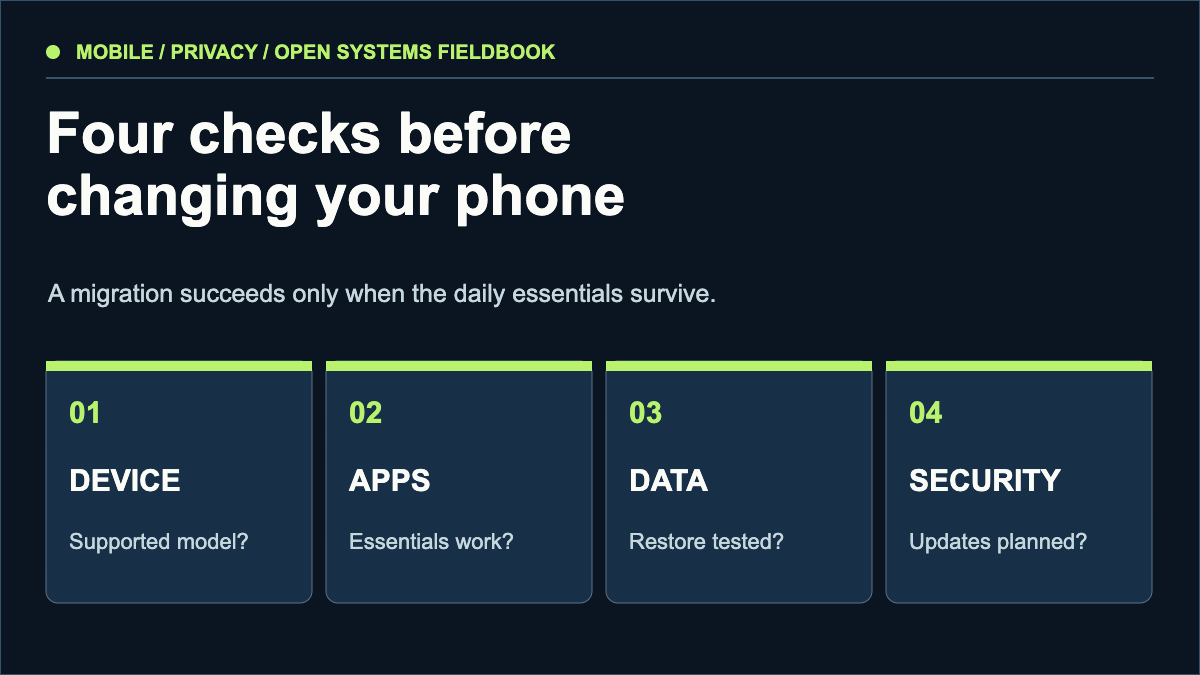
Official support, update lifetime and an unlockable bootloader.
Banking, authentication, payments, notifications and work tools.
Backups, account recovery, photos and messaging history.
Update channel, verified boot and a realistic threat model.
Start with the official device list
GrapheneOS publishes its supported devices and explains why recent hardware and ongoing vendor security updates matter. Check the precise model and its support horizon on the day you decide. A phone that can boot an unofficial build is not equivalent to one receiving full official security updates. Verify that your particular device can be unlocked; carrier variants can differ.
Test the apps that would stop your day
GrapheneOS offers optional sandboxed Google Play: the official Play apps run as ordinary sandboxed apps rather than privileged system components. That is a compatibility tool, not a promise that every app will work. List the applications you cannot replace—banking, work enrollment, transit, identity, camera workflows—and check each one before committing. Keep a second device available during the transition if possible.
Plan the data move
Export data before unlocking or reinstalling a device. Verify a backup by opening files and completing an account-recovery test. Write down which authenticators, passkeys and messaging histories can transfer and which require a fresh setup. A privacy improvement is not useful if you lose the only way into your accounts.
Use the software as intended
Follow the project's current installation and usage instructions, including verification and update guidance. Avoid changing security settings solely because a forum post recommends it. Separate privacy goals, such as reducing data sent to a vendor, from security goals, such as resisting device compromise. They overlap but are not interchangeable.
This is a preparation checklist, not a 215-day hands-on review. We have not tested your device or essential apps. The former author's experience remains theirs; the current support list is the source of truth for migration planning.
Sources & scope
These sources support the technical principles above. Commands and compatibility can change; verify the current version before changing a machine.
This is a new, independent edition. Its articles are original editorial work inspired by the domain's technical history; we are not the former author. Meet the author.