Bot traffic on a small site: measure before you block
A practical way to separate crawlers, broken clients and abuse using request logs, rate patterns and a clear response policy.
A busy access log does not tell you who is reading. One crawler can generate more requests than a thousand human visitors, while a single address can represent many people behind a shared network. Begin with a measurement window and a question: what resource is actually under pressure?
1. Establish a baseline
Measure requests per minute, distinct paths, error rate, response size and bandwidth over a representative week. Segment by status code and user agent, but do not treat the user-agent string as proof of identity. Compare a normal period with the suspected spike. If the site stays responsive, the cost may be more important than the request count.
2. Classify behavior, not labels
A bot may fetch robots.txt and a few changed pages; a scraper may sweep the entire archive repeatedly; a broken client may loop on one missing URL. Look for path sequences, intervals and concentration. A repeated 404 on an old page suggests a link or redirect problem, not automatically a hostile actor.
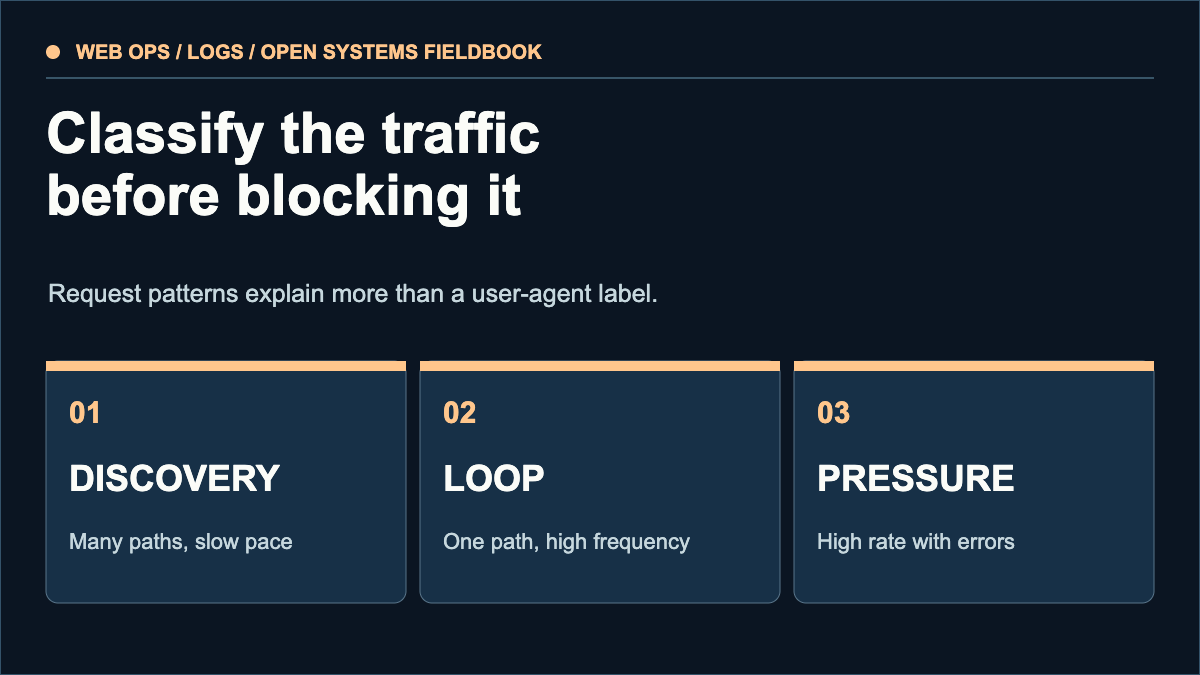
Many distinct paths, slow pace → check crawl policy and cache.
One path, high frequency → investigate client or redirect.
High rate plus errors or load → rate limit or challenge carefully.
3. Choose the lightest intervention
Cache static assets, fix accidental infinite redirects and return an honest 404 for missing pages. Use robots.txt to state a crawl preference. RFC 9309 makes clear that robots rules are requests to crawlers, not access control. When necessary, apply rate limits or challenges to the observed pattern, then check that legitimate readers and search crawlers still reach the site.
4. Measure the result
Record the rule, start time, target path and expected change. Compare origin load, error rate and real page delivery afterward. Revert a rule that reduces legitimate access without meaningfully reducing cost. Keep logs only as long as operationally necessary and avoid publishing raw IP addresses.
Caddy's log directive enables HTTP access logging and supports JSON output. Verify what your current configuration records before making claims about bot share or bandwidth.
Count a synthetic Nginx combined sample
The article above discusses Caddy. This separate exercise uses Nginx’s predefined combined layout; Caddy JSON and custom log formats are different inputs. It counts status classes and known response-body bytes, not crawler identity or server cost.
The default four rows are invented, using documentation-only addresses. Use only synthetic or anonymised records. The parser does not redact what you paste. It keeps input in this page, sends and saves none of it, and excludes addresses, paths, referrers and agents from the summary.
This parser needs JavaScript. Its controls stay unavailable until it loads. The synthetic example and worked totals remain readable.
The strict supported layout is: address, dash, one username token, bracketed common-log timestamp, quoted request, status 100–599, body-byte count, quoted referrer and quoted agent. Default hexadecimal escapes such as \x22 are accepted inside quoted fields. JSON escaping, extra columns, internal blank rows and usernames with literal spaces are not supported. Unsupported input rejects the whole batch, with row numbers only; no partial total is presented as complete.
A dash byte value is unknown, not zero. The synthetic example has 4 responses, one in each of 2xx–5xx, 1,200 known body bytes and one unknown byte count. Nginx combined uses body_bytes_sent; it does not measure full wire traffic, CPU or request duration. Safe-integer limits are checked. Counting responses does not deduplicate people, authenticate a User-Agent or establish abuse.
Primary reference: Nginx log module: combined layout and escaping. This is original browser code, tested with synthetic fixtures; no production access log or server configuration is read or changed by it.
Sources & scope
These sources support the technical principles above. Commands and compatibility can change; verify the current version before changing a machine.
This is a new, independent edition. Its articles are original editorial work inspired by the domain's technical history; we are not the former author. Meet the author.