INDEPENDENT SYSTEMS JOURNALEDITION 01 / 2026
OPEN SYSTEMS
FIELDBOOK
RSS
WEB / ARCHITECTURE
WEB / ARCHITECTURE • RESEARCHED 2026-09-24

The perfect web stack is a decision, not a list

Test the baseline before choosing the enhancement

A small decision framework for static pages, server-rendered apps and progressive enhancement, inspired by the domain archive.

The archived page proposed Actix Web, SQLx, Tera, Tailwind CSS and htmx. That is a coherent stack for a particular kind of application, but no combination is perfect before the product's constraints are known. Start with the simplest architecture that meets the required behavior.
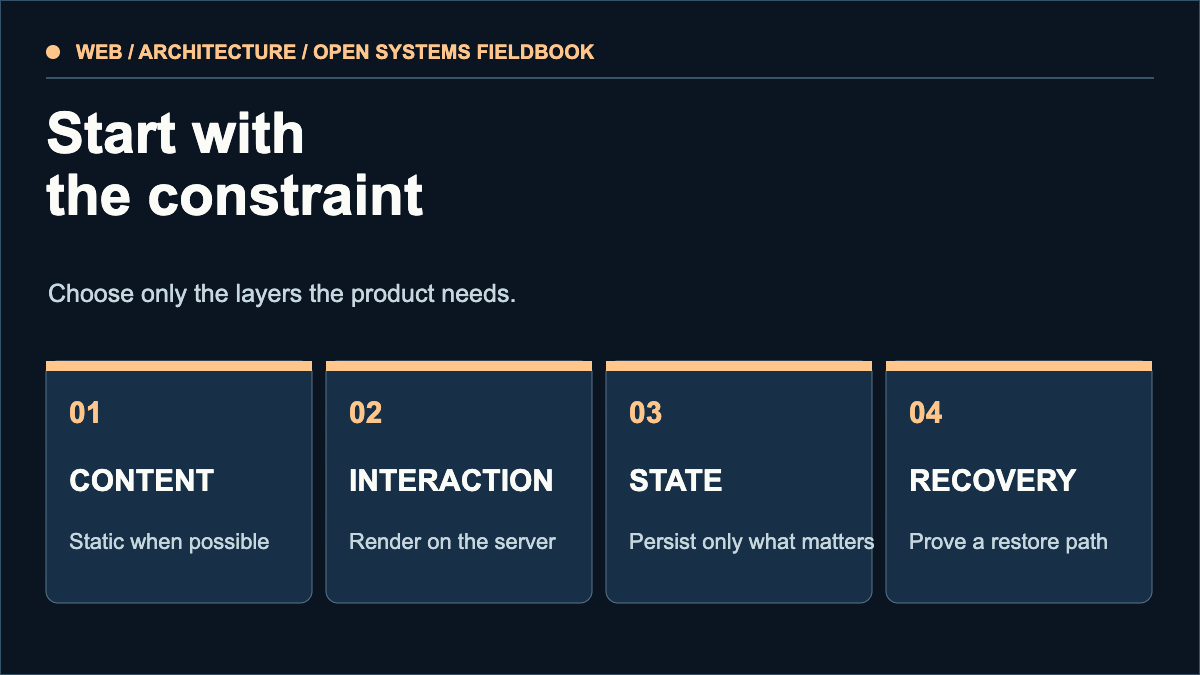
Architecture decision gate for content, interaction, persisted state, and recovery.
Select architecture according to content, interaction, state and a tested recovery path.
THE ARCHITECTURE GATE
Content

Pages change at publish time: consider static HTML.

Interaction

Accounts or transactions: consider server rendering.

State

Choose a database only for data that must be stored.

Recovery

Backups and rollback are part of the stack.

First, ask whether you need an application

If readers only consume articles and diagrams, static files can serve the site with no runtime database and few moving parts. Add a build step only when repeated layouts or content volume justify it. Measure page weight, deployment time and edit cost; the “fastest” framework benchmark says little about these reader and operator costs.

When server rendering earns its place

Accounts, user-specific data and transactions need a trusted place to validate requests and persist state. Actix Web is one Rust option for that server. SQLx provides database access, including macros that can check SQL against a schema at build time; that check has setup requirements and does not replace migrations, authorization or backups. The official docs are more useful than a copied starter template when choosing versions and features.

Enhance working HTML

Use semantic links and forms so the core flow works with ordinary navigation. htmx can then update parts of a page without turning every screen into a client-rendered app. Its documentation explains that some patterns, such as boosted links and forms, degrade gracefully, while others require deliberate progressive enhancement. Test keyboard access, error states and the no-script path.

Make the choice reversible

Write down which requirements each dependency satisfies, how it is updated, and how data can leave it. Build a small vertical slice: one page, one form, one persisted record if necessary, and one restore test. Keep a budget for deploy complexity and maintenance. Change the stack when observed constraints justify it, not because a list is fashionable.

Source context

This edition uses the old article's stack proposal as a question to evaluate. It does not reproduce the prior writer's first-person experience or claim their choice as ours.

REFERENCE DESK

Sources & scope

These sources support the technical principles above. Commands and compatibility can change; verify the current version before changing a machine.

  1. Actix Web: Getting started
  2. SQLx: Query macro documentation
  3. htmx: Progressive enhancement
A note on this domain

This is a new, independent edition. Its articles are original editorial work inspired by the domain's technical history; we are not the former author. Meet the author.
KEEP EXPLORINGBrowse all field notes

Test the baseline before choosing the enhancement

“Works without JavaScript” should identify a task and an expected result. A public article and a logged-in payment form need different baselines. A quick vertical slice exposes the difference before the stack becomes expensive to replace.

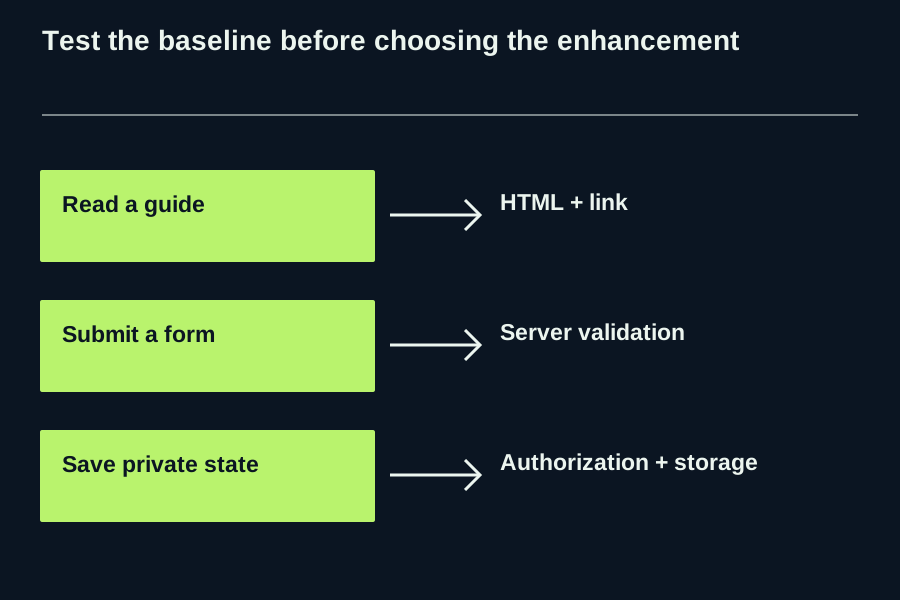
Three task cards for the same architecture decision

Reader taskBaseline to demonstrateWhat an enhancement may add
Read and navigate a guideHTML contains the answer and a working next-page link.Local filtering or a reading aid.
Submit a support requestA server validates the request and returns a clear receipt or error.Inline feedback without a full reload.
Save a private account preferenceAuthentication, authorization and durable state work on the server.A faster interface for the same authorized change.

An executable acceptance procedure

  1. Write one task, its starting URL and the expected destination or receipt. Use a development environment for submissions, not a live payment flow.
  2. Disable JavaScript in a fresh browser context. Load the URL directly, follow the link or submit the development form, and record the HTTP outcome and visible answer.
  3. Repeat with JavaScript enabled. Confirm that the enhancement keeps the same authorization and validation rules.
  4. Use the keyboard. Tab to the action, activate it, inspect focus after any update, then trigger one invalid input.
  5. Record browser version, response status and the failure you observed. A screenshot of the happy path cannot prove error handling.

Illustrative outcome: a catalogue loads as HTML and its links navigate normally; filtering disappears without scripts, but all entries remain accessible. A prototype form whose only validation lives in JavaScript fails the separate server-validation gate. Static publishing fits the first task; it does not by itself satisfy the second. MDN describes progressive enhancement as a usable baseline with richer capabilities added where available. The test cards above are our own acceptance proposal.

Read a guide; HTML + link; Submit a form; Server validation; Save private state; Authorization + storage
Original architecture branching map, drawn for the three acceptance tasks; no framework performance claim.

Text equivalent: Read a guide → HTML + link → Submit a form → Server validation → Save private state → Authorization + storage.

Download the working card ↓

Written by Open Systems Fieldbook. Source: MDN · Progressive enhancement.